
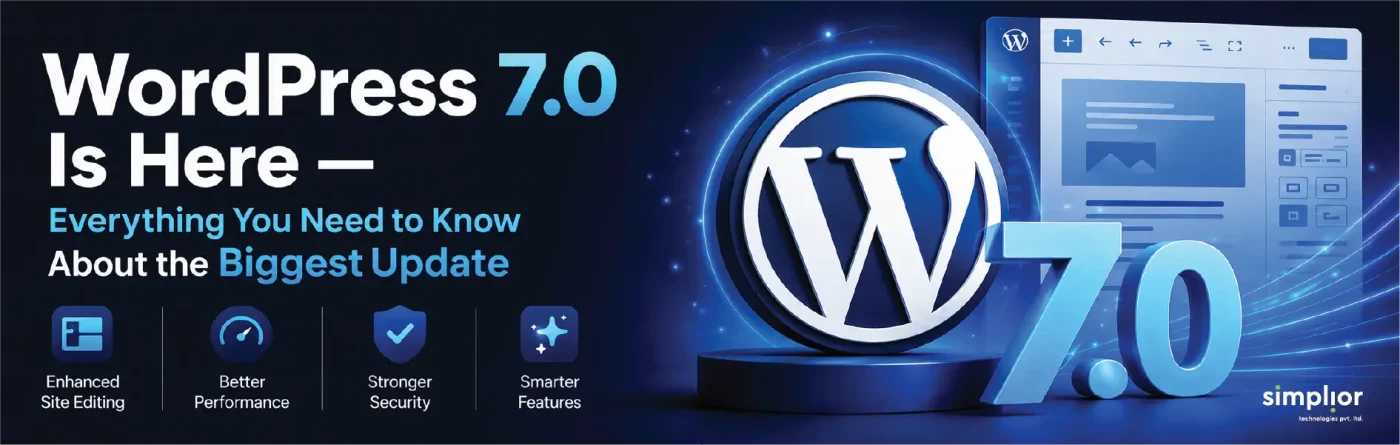
WordPress 7.0 marks a major milestone in the platform’s evolution, introducing a range of innovations designed to make website creation faster, smarter, and more intuitive than ever before. From built-in AI capabilities and a completely refreshed admin experience to new content blocks and workflow enhancements, this release focuses on improving both productivity and user experience. With contributions from hundreds of developers across the global WordPress community, version 7.0 delivers meaningful upgrades for businesses, developers, marketers, and content creators alike. In this article, we’ll explore the standout features, performance improvements, and practical benefits of WordPress 7.0—and what they could mean for the future of your website.
43.4%
of all websites globally
63.4M+
WordPress sites worldwide
420+
enhancements in
WP 7.0
30th
Major WP version since 2004
Table of Contents
What is WordPress 7.0?
WordPress 7.0—codenamed “Armstrong” in honor of jazz legend Louis Armstrong—was officially released on May 20, 2026, as the first release in the 7.x series. It introduces native AI infrastructure, a redesigned admin experience, new core blocks, enhanced developer APIs, and Gutenberg Phase 3 collaboration features. This release also marks the 30th major version of WordPress since WordPress 1.0, codenamed “Miles,” was launched in January 2004.
Built by more than 875 contributors from around the world (including over 200 first-timers), this release landed 420+ enhancements and fixes across Core and Gutenberg. The official framing from the WordPress.org announcement team: “WordPress 7.0 marks the start of a new era, laying the foundation for AI across the WordPress experience.”
Note on real-time collaboration: Real-time co-editing (multiple users in the same post simultaneously) was pulled from 7.0 on May 8 — just 12 days before launch — due to concerns around race conditions, server load, and memory efficiency. It is now targeted for WordPress 7.1, expected August 2026.
WordPress 7.0 Features
What’s new in WordPress 7.0—all key features explained
WordPress 7.0 touches four major areas: AI integration, the admin experience, blocks and design tools, and developer APIs. Here is a complete breakdown of every significant addition in this release.
- WP AI Client
- Command Palette (⌘K)
- DataViews Admin
- Centralised Font Library
- Responsive block controls
- Block-level custom CSS
- Browser-side media processing
Images are optimised client-side before upload, reducing server load and speeding up media handling.
- Visual revisions scrubber
The revisions screen now shows visual markers of what changed at each save point — no more diffing text walls.
- PHP-only block registration
Register blocks server-side with pure PHP — no webpack or wp-scripts build pipeline required.
- Abilities API
Fine-grained control over AI-powered capabilities and user permissions, accessible via PHP and JavaScript.
- Native Breadcrumbs block
A Core Breadcrumbs block — no more relying on Yoast, Rank Math, or custom shortcodes.
- Native Icons block
A Core Icons block with a built-in library of common UI icons — for feature lists, callouts, and more.
WordPress 7.0 & AI — the most important change in years
The biggest structural change in WordPress 7.0 is that Core can now communicate with AI models natively. This is not a plugin — it is infrastructure baked directly into WordPress itself. There are four interconnected components:
AI Client (Core)
Abilities API (Server)
Client-Side Abilities (JS)
Connectors Screen
Important distinction: The AI Client in Core is plumbing — it doesn’t generate anything by itself. To use AI features (content generation, alt text, summaries), you install the optional AI plugin that sits on top of the Client and Abilities API. A stock 7.0 install is no more AI-enabled than 6.9 until you opt in. This is by design.
What this means for developers
Before 7.0, every WordPress plugin that used AI had to build its own OpenAI or Anthropic wrapper from scratch. That code was duplicated across thousands of plugins. The Abilities API consolidates this into Core — one opinionated, standardised place. Plugins register abilities; Core handles transport. This is the same value the REST API brought to data access in 2016, now applied to AI.
| AI Model | Supported in 7.0 | Integration type | Use cases |
|---|---|---|---|
| OpenAI (GPT-4.o) | Yes—preset | Via Connectors screen | Content generation, summarisation, SEO |
| Google Gemini | Yes—preset | Via Connectors screen | Multimodal content, translation |
| Anthropic Claude | Yes—preset | Via Connectors screen | Long-form writing, code, analysis |
| Custom / self-hosted | Yes—custom | Developer-registered connector | Enterprise, privacy-focused deployments |
| Local AI models | Partial | Via custom connector | Offline/air-gapped environments |
The most significant wp-admin redesign since 2013
Most users will notice the admin before they notice anything else in 7.0. The dashboard has been rebuilt — not just reskinned — with a new colour scheme, smooth view transitions between screens, and a batch of UX improvements that collectively make day-to-day WordPress work meaningfully faster.
Command Palette (⌘K / Ctrl+K)
A fuzzy-search palette accessible from anywhere in the admin bar. Type any post name, settings screen, plugin, or command and jump there instantly. Borrowed from developer tools like VS Code and productivity apps like Linear, this is likely the single change power users will feel most every day. It was first expanded across the admin in WordPress 6.9; 7.0 refines its placement and significantly extends its scope.
Centralised Font Library
Font management was previously fragmented across theme settings and third-party plugins. 7.0 brings a dedicated Font Library screen where you can install, upload, and manage fonts across all theme types — block, hybrid, and classic — from one place.
Visual revisions scrubber
The Revisions screen now shows visual markers at each save point, indicating what actually changed — not just a raw HTML diff. Finding the right version of a post is now a visual, scannable experience rather than a text-diffing exercise.
Iframed editor for Block API v3
When every block on a page uses Block API v3 or higher, the post editor now runs inside an iframe by default. This permanently fixes a long-standing class of CSS bleed issues between admin and editor styles — a problem plugin developers have been working around for years.
Four new Core blocks and major editor upgrades
WordPress 7.0 ships four new native blocks and makes meaningful upgrades to the block editor that plugin developers have been requesting for years.
| Block | What it does | Previously required |
|---|---|---|
| Gallery (lightbox) | Full lightbox with slideshow mode and keyboard navigation built in | Third-party plugin |
| Breadcrumbs | Native breadcrumb trail with theme.json styling support | Yoast, Rank Math, or custom code |
| Icons | Core icon block with a library of common UI icons for feature lists and callouts | Custom SVG or icon plugin |
| Heading (v2) | Reworked Heading block with cleaner markup and granular heading-level style control | CSS workarounds |
Editor-wide improvements
| Improvement | Detail | Impact |
|---|---|---|
| Responsive block visibility | Hide/show blocks per device; customisable breakpoints in the editor | High |
| Block-level custom CSS | CSS editor in the Advanced tab of any block’s inspector | High |
| Cover block — video backgrounds | Embedded YouTube/Vimeo video backgrounds with built-in lazy loading | Medium |
| Block-based mobile menu overlay | Fully customisable with blocks and patterns — add columns, typography, close button | Medium |
| Patterns as single units | Patterns act as a single unit by default, with detachable elements and a contentOnly mode | Medium |
WordPress 7.0 for developers — what changed in the APIs
WordPress 7.0 is the biggest developer release in several cycles. Beyond the AI infrastructure, multiple APIs were extended or added that change how blocks, permissions, and scripts are built.
| API / Feature | What changed | Who benefits |
|---|---|---|
| PHP-only block registration | Blocks and patterns can be registered server-side in pure PHP via the Block API — no webpack build needed | Plugin developers, agencies |
| Abilities API (extended) | Fine-grained AI capability registration; both PHP and JS sides; command palette integration | AI plugin developers |
| Extensible Site Editor | New routing layer + wordpress/boot package lets plugins build full custom Site Editor pages |
Advanced plugin authors |
| Interactivity API — watch() | New watch() function and data-wp-watch directive for subscribing to signal changes without re-rendering |
Interactive block developers |
| Block bindings filter | block_bindings_supported_attributes filter controls which block attributes can be overridden by Pattern overrides |
Theme / pattern developers |
| Scripts → modules dependency | Traditional scripts can now declare dependencies on ESM modules — smooths JS-to-modules migration | Frontend developers |
| Minimum PHP bumped to 7.4 | PHP 7.2 and 7.3 (both EOL since Dec 2021) are no longer supported; PHP 8.1+ recommended | All developers / hosts |
PHP version check: WordPress 7.0 requires a minimum of PHP 7.4. PHP 7.2 and 7.3 reached end-of-life in December 2021 with no security patches since. Before upgrading, confirm your hosting environment meets the minimum — Site Health in the WordPress dashboard will flag this directly.
WordPress market share & ecosystem statistics (2026)
WordPress’s dominance in 2026 is not just anecdotal—it is structural. A decade of ecosystem investment by developers, hosts, agencies, and businesses has created switching costs no competitor has overcome at scale.
43.4%
of all websites globally run WordPress (W3Techs)
60.8%
CMS market share among tracked sites
63.4M+
WordPress-powered websites worldwide
$596.7B
total WordPress ecosystem value (WP Engine)
59K+
free plugins available on WordPress.org
WordPress market share growth (2014 – 2026)
| Metric | Value | Source |
|---|---|---|
| Total websites using WordPress | 43.4% of all websites | W3Techs, May 2026 |
| CMS market share | 60.8% | W3Techs, May 2026 |
| WordPress sites among top 10,000 | ~58% of CMS usage | HTTP Archive, 2025 |
| Mobile CMS share | 64.3% | HTTP Archive Web Almanac |
| Growth over 10 years | 21% (2014) → 43.4% (2026) | W3Techs historical |
| Sites on WP v6.x | 92.0% of all WP sites | W3Techs, 2026 |
| Ecosystem value | $596.7 billion | WP Engine study |
| Free plugins on WP.org | 59,000+ | WordPress.org |
| Security vulnerabilities (2025) | 11,334 — up 42% YoY | Patchstack |
| US WordPress websites | 16.2 million | BuiltWith, 2026 |
WordPress 7.0 vs 6.9 vs 6.7 — what actually changed
WordPress 6.9 (December 2025) was a performance release — it cut block theme First Contentful Paint by 33.1% and reduced RSS feed response time by 87%. WordPress 7.0 is a capability release. They had different jobs. Here’s how they stack up:
| Feature / area | WP 6.7 | WP 6.9 | WP 7.0 |
|---|---|---|---|
| Gutenberg phase | Phase 2 | Phase 2+ | Phase 3 |
| Native AI integration | None | None | WP AI Client |
| AI model support | — | — | OpenAI, Gemini, Claude, custom |
| Admin dashboard | Legacy | Minor updates | Full redesign |
| Command Palette (⌘K) | No | Partial | Full admin |
| Font Library (central) | No | No | Yes |
| Block-level custom CSS | No | No | Yes |
| Responsive block visibility | Plugin only | Plugin only | Built-in Core |
| Browser-side media processing | No | No | Yes |
| Native Breadcrumbs block | No | No | Yes |
| Native Icons block | No | No | Yes |
| Block-level commenting (Notes) | No | Yes | Yes |
| PHP-only block registration | No | No | Yes |
| Real-time collaboration | No | No | WP 7.1 (Aug’26) |
| Minimum PHP version | 7.2 | 7.2 | 7.4 required |
| Visual revision markers | No | No | Yes |
| Gallery lightbox (Core) | Plugin only | Plugin only | Built-in Core |
WordPress 7.0 benefits — who gains what, and how much
The WordPress 7.0 benefits cut across every type of user on the platform. Here is a breakdown by audience, with the concrete gain each group receives from this release:
| User type | Core benefit | Key feature | Impact |
|---|---|---|---|
| Content editors | Faster, more visual admin for day-to-day publishing; bulk content management is dramatically quicker | DataViews + Command Palette | High |
| Business owners | Native AI tools for content, SEO, and workflows-no extra plugins or API keys to manage | WP AI Client + Connectors | High |
| WordPress developers | Clean PHP-only block registration; Abilities API standardises AI plugin development; Interactivity API improvements | PHP blocks + Abilities API | High |
| Site designers | Block-level CSS, responsive visibility controls, and centralised Font Library remove major design workflow blockers | CSS per block + Font Library | High |
| Agencies | Fewer plugin dependencies for core UX needs (breadcrumbs, icons, gallery, responsive control) | 4 new Core blocks | Medium-High |
| Security teams | PHP 7.4 minimum eliminates EOL PHP from the stack; 7.4 has active security support | PHP version bump | Medium |
| Performance engineers | Browser-side media processing reduces server load; iframed editor removes CSS bleed overhead | Client-side media + iframe editor | Medium |
| Enterprise teams | Extensible Site Editor + custom AI connectors enable enterprise-grade workflow and tooling customisation | Site Editor routing + custom connectors | Medium-High |
| Simplior service | What’s delivered | Best for | WP 7.0 relevance |
|---|---|---|---|
| WP 7.0 migration audit | PHP check, plugin compatibility scan, staging migration, production deployment | Any existing WP site | Essential |
| Custom WordPress development services | Custom blocks, Gutenberg templates, WP AI Client integrations, Site Editor extensions | Businesses wanting unique UX | New in 7.0 |
| Hire WordPress developers | Dedicated developers on flexible retainer or per-project basis — all WP 7.0 trained | Agencies and growing teams | Ongoing |
| AI workflow integration | WP AI Client setup, provider authentication, Abilities API development, custom AI connector builds | AI-forward businesses | New in 7.0 |
| Performance & Core Web Vitals | Server config, caching, image pipeline, browser-side media tuning | High-traffic sites | Enhanced in 7.0 |
WordPress 2026 release roadmap
Ready to take your WordPress site to the next level?
Whether you need a smooth, risk-free WordPress 7.0 migration, a custom block or AI integration, or an experienced team to hire WordPress developers from — Simplior.com is your end-to-end WordPress partner.
FAQs about WordPress 7.0 and AI
No. A stock WordPress 7.0 install has no AI features enabled by default. The WP AI Client is infrastructure — plumbing. To generate content, alt text, summaries, or any AI output, you need to (a) install the optional AI plugin and (b) connect an AI provider like OpenAI, Google Gemini, or Anthropic Claude via the Connectors screen. AI is entirely opt-in.
WordPress 7.0 ships with three preset connectors: OpenAI (GPT-4o and variants), Google Gemini, and Anthropic Claude. Developers can also register custom connectors for self-hosted models, private endpoints, or any other AI provider that exposes an API.
Yes — WordPress 7.0 sites benefit from the same structured markup, schema.org support, and REST API discoverability that makes WordPress content machine-readable. Well-structured 7.0 posts with clear headings, FAQ sections, and schema markup are highly indexable by AI-powered search tools. Using Rank Math or Yoast alongside 7.0 further strengthens this.
The Abilities API is a standardised PHP and JavaScript interface for registering named AI capabilities — generate, summarise, suggest, classify — inside WordPress. Before this existed, every AI plugin re-invented its own OpenAI wrapper. Now developers register their ability once, Core handles the transport, and other plugins can invoke the same ability. This reduces code duplication across the ecosystem dramatically.
Content optimisation for generative AI search is primarily about content quality and structure, not the CMS version. However, WordPress 7.0’s improved structured data support, cleaner block markup output (particularly from the new Heading block v2), and native Breadcrumbs block all contribute positively to how AI search crawlers understand and surface your content. Writing clear, direct answers to specific questions — like this FAQ section — is the single most effective optimisation for AI-driven discovery.
Headless WordPress (WordPress as a backend, decoupled from the frontend) remains a valid architecture for high-performance, AI-enhanced sites. WordPress 7.0’s native AI infrastructure actually makes headless more powerful — the WP AI Client and Abilities API can run server-side and feed AI-generated content into any frontend via the REST API. For most businesses, a well-optimised WordPress 7.0 site with a performance-focused host will outperform a poorly-built headless setup, while being significantly cheaper to maintain.
WordPress 7.1 is the second major release of 2026, tentatively expected in August 2026. Its headline feature is real-time collaboration — multiple users editing the same post simultaneously, like Google Docs. This was pulled from 7.0 on May 8 due to race conditions and stability concerns. WordPress 7.1 will also continue expanding the WP AI Client capabilities introduced in 7.0. WordPress 7.2 is expected December 2026.